Left Image Right Image

Consilium Splunk Bridge

Home / Consilium Splunk Bridge

SplunkBridge: Webex Contact Center to Splunk Integration for Asynchronous Data Ingestion and Enrichment

SplunkBridge is a powerful integration solution designed to seamlessly connect Webex Contact Center (WxCC) with Splunk, enabling efficient data ingestion and real-time enrichment. This integration allows Webex Contact Center's event-driven data to flow asynchronously into Splunk, where it can be analyzed, visualized, and acted upon to derive business insights.


Key Features

  • Asynchronous Data Ingestion: SplunkBridge asynchronously captures real-time Webex Contact Center data using APIs and webhooks without blocking other system processes.
  • Webex API Integration: Secure API integration fetches agent status, interaction metrics, and customer insights using OAuth 2.0 authorization for data access.
  • Data Enrichment: SplunkBridge enriches Webex data with agent details, team IDs, and transforms it into structured, searchable Splunk-compatible formats.
  • Splunk Integration: Ingested data is pushed to Splunk HEC for dashboards, real-time monitoring, trend analysis, and proactive performance alerts.
  • Scalability and Flexibility: SplunkBridge scales with Webex, handling large data volumes while supporting seamless dashboard updates and interaction monitoring.
  • Security and Compliance: OAuth 2.0 and encrypted communication ensure secure data transfer with continuous logging and full audit trail compliance.
  • Error Handling and Retry: Built-in retry mechanisms ensure no data loss during disruptions, maintaining consistent, reliable data flow to Splunk.

Use Cases of SplunkBridge Integration:

  • Real-Time Agent Monitoring: Supervisors can monitor agent performance in real time, track the number of calls handled, average handling time, and provide feedback to improve service levels.
  • Customer Interaction Insights: By analyzing Webex interaction data (e.g., calls, chats), businesses can gain insights into customer experiences, helping improve customer support strategies.
  • Splunk-Based Alerts: Set up alerts based on specific conditions (e.g., if the average wait time exceeds a certain threshold or if an agent’s performance drops), enabling quicker response times to issues in the contact center.
  • Trend Analysis: With historical data from Webex and enriched logs in Splunk, businesses can identify patterns in customer behavior, agent performance, and system bottlenecks, allowing for data-driven decision-making.

How SplunkBridge Works:

  • Data Capture: Webex Contact Center generates interaction data, which SplunkBridge captures via Webex APIs or webhooks for real-time monitoring.
  • Asynchronous Data Fetching: SplunkBridge asynchronously fetches and processes data from Webex APIs without blocking operations, storing it temporarily before forwarding.
  • Data Enrichment: Captured data is enriched with team details, agent metrics, and interaction insights before converting to Splunk-compatible format.
  • Data Sending to Splunk: Enriched data is pushed in real-time to Splunk’s HTTP Event Collector (HEC), organized into relevant indexes for analysis.
  • Data Analysis in Splunk: Splunk dashboards visualize agent performance, customer experience, and real-time metrics, enabling detailed reporting and proactive alerts.

Screenshots

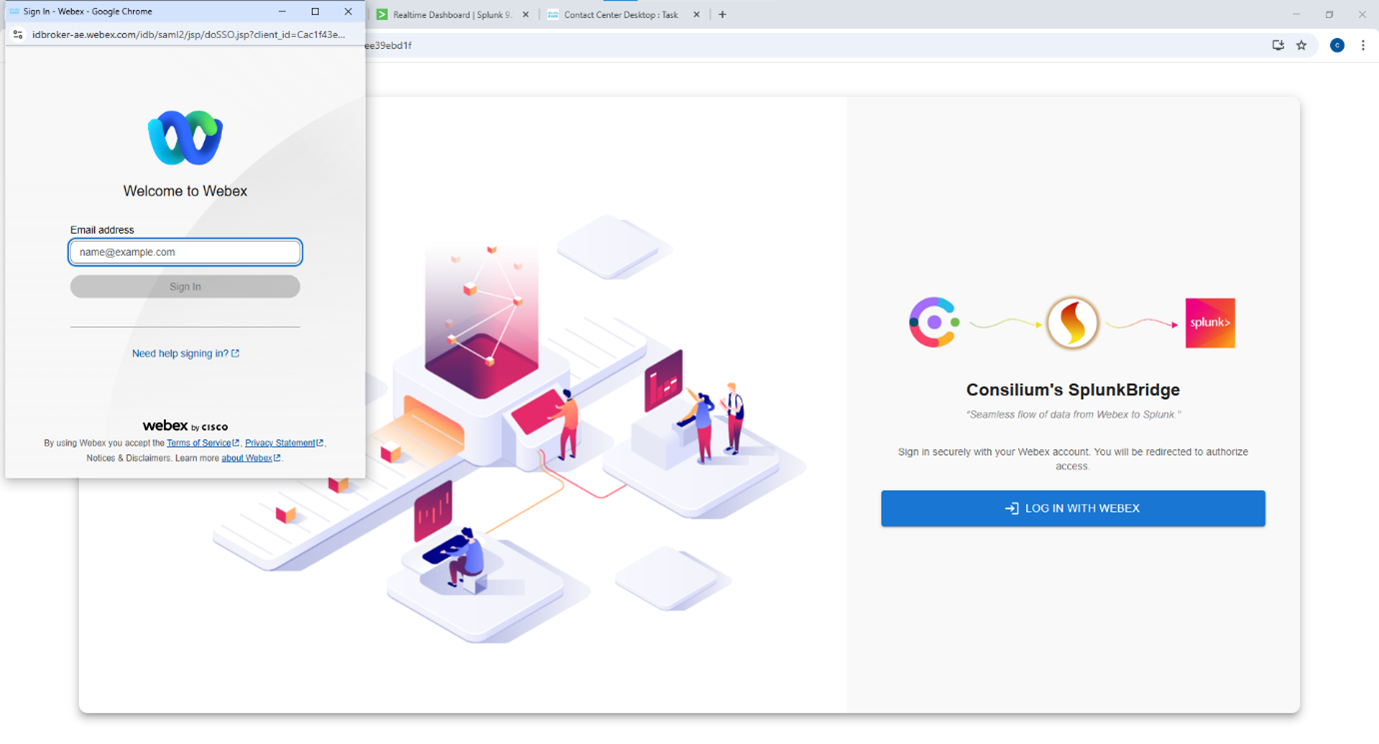
Consilium Splunkbridge
Login into Consilium SplunkBridge
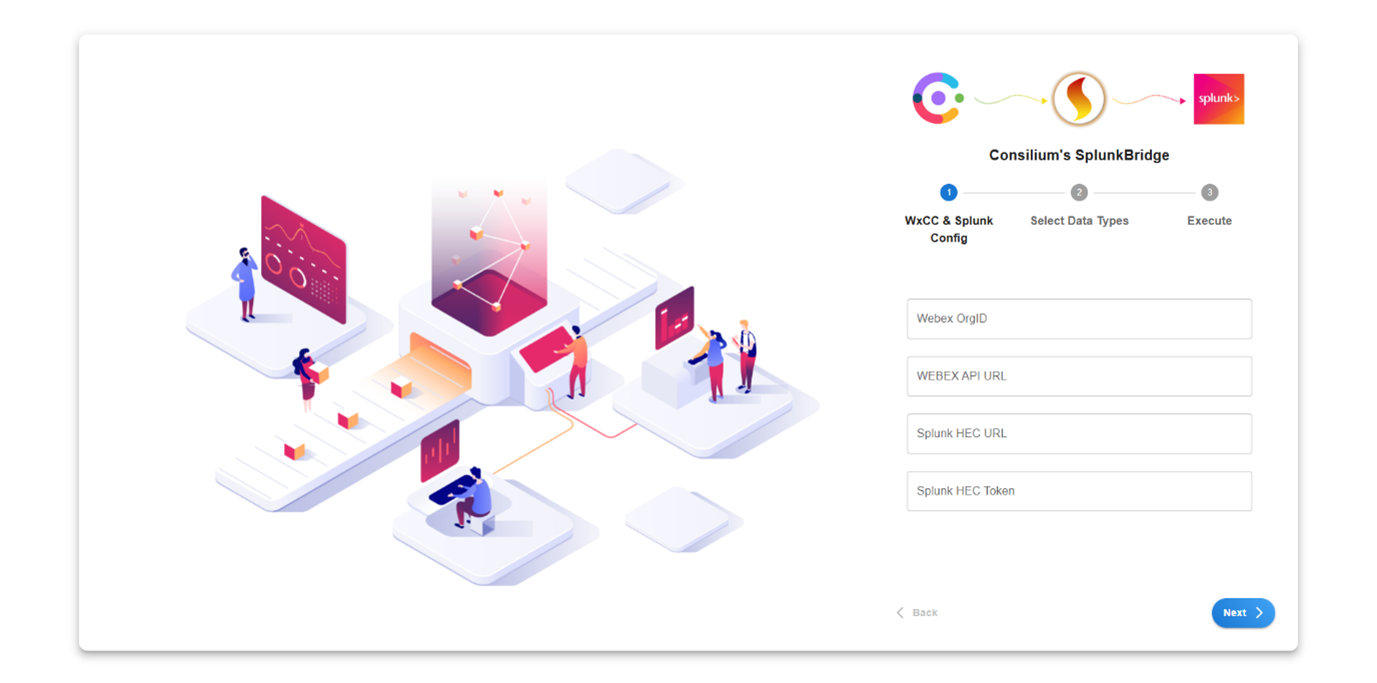
Consilium Splunkbridge
Configuration Setup
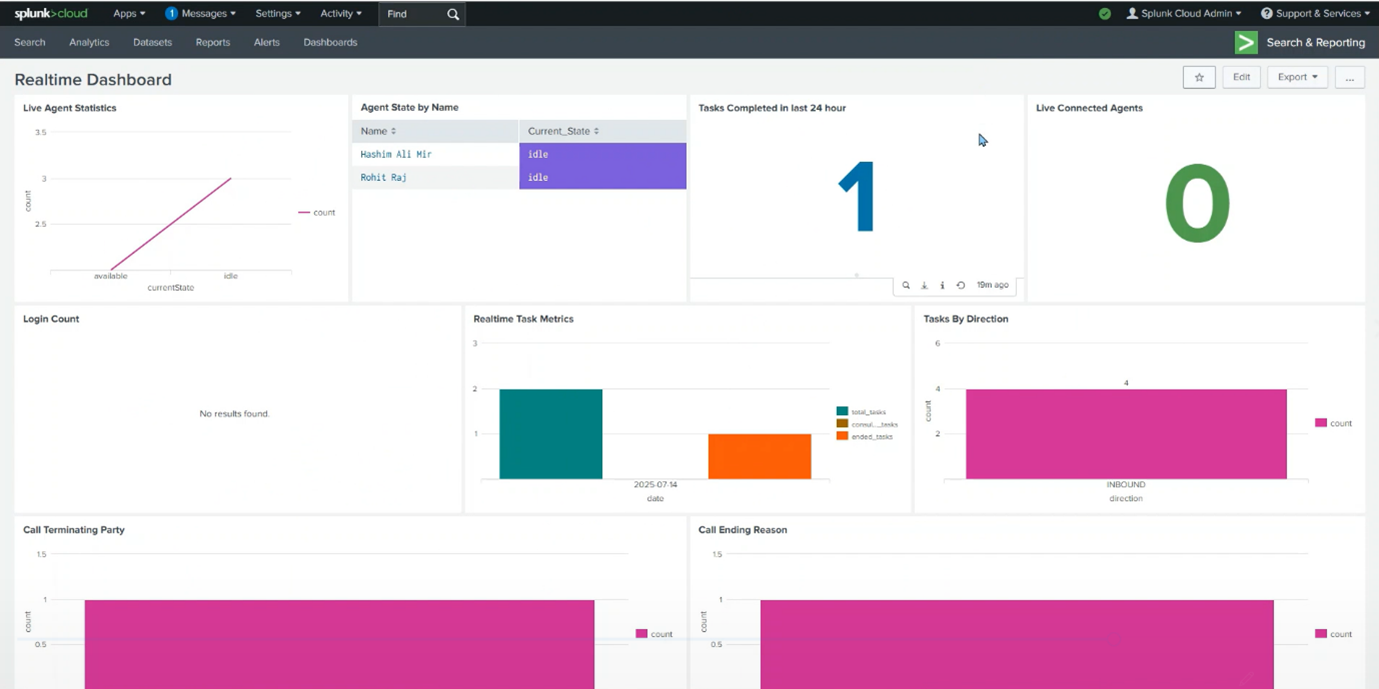
Consilium Splunkbridge
Dashboard

Consilium's powerful CX solutions are now available as SaaS SKUs directly in Cisco Commerce Workspace (CCW) under CONSILIUM-APPS.

To use Consilium Consilium SplunkBridge, you will need a Webex Contact Center license and a Consilium SplunkBridge license. To book a demo, pricing and subscription options,
please send an email to sales-support@consiliuminc.com.

To Get Started

For More Information : sales-support@consiliuminc.com